

Shopify: orders, products, stock, prices and your theme.
Orders and refunds, variant stock, price and status changes, launches and theme publishes, all on one timeline.

What Fabrik reads
- Orders, refunds and line items, with each order's sales channel and tags
- Products and variants, with price, compare-at price and cost per item
- Stock by variant on every sync, and a nightly snapshot of stock value
- Product changes as they arrive: status, publishing, sale prices and price moves of 5% or more
- New products, the first time they are seen
- Theme publishes and setting-level theme changes, on stores that grant theme access
- Each variant's price in every market, on stores that grant access to Markets
What it powers
- The timeline, with every product, price, stock and theme change
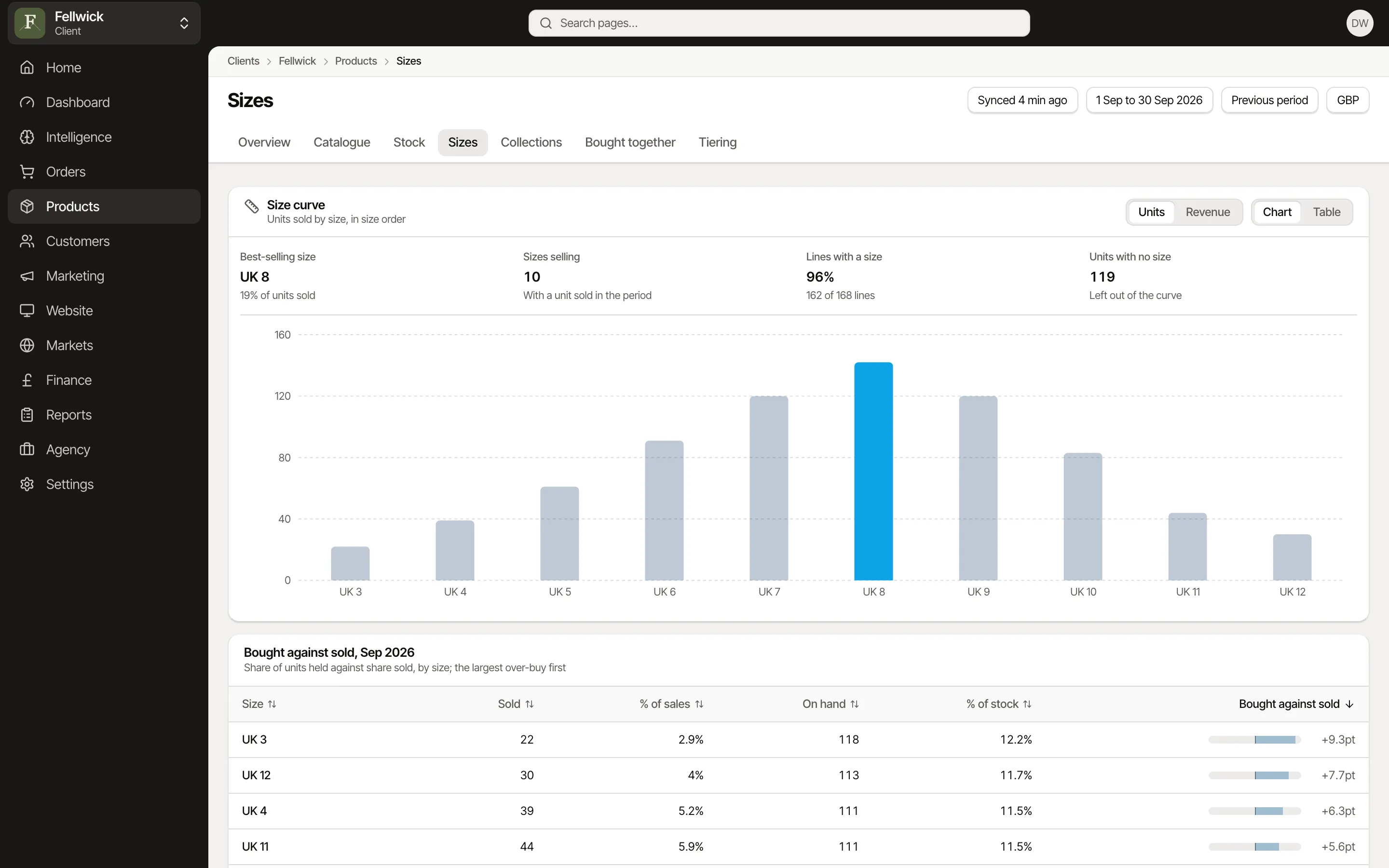
- Size curves, size-run gaps, weeks of cover and reorders
- Profit after returns, from gross sales to contribution margin
- Customers, cohorts and what new customers buy first
- Markets, country by country
Setting it up
Install Fabrik Analytics from the Shopify App Store and approve its permissions in Shopify. Nobody types a store domain; to reconnect, open the app from your Shopify admin. Every install includes your full order history. Fabrik reads the last 90 days first, then walks back through 12 months. Choose which sales channels and order tags count, so wholesale, point of sale and test orders stay out.
Worth knowing
Shopify keeps no stock history, so stock trends start from the day you connect. Theme changes need theme access, which each store approves in Shopify. Shopify does not say who changed a price, a stock level or a theme.
Where it shows up
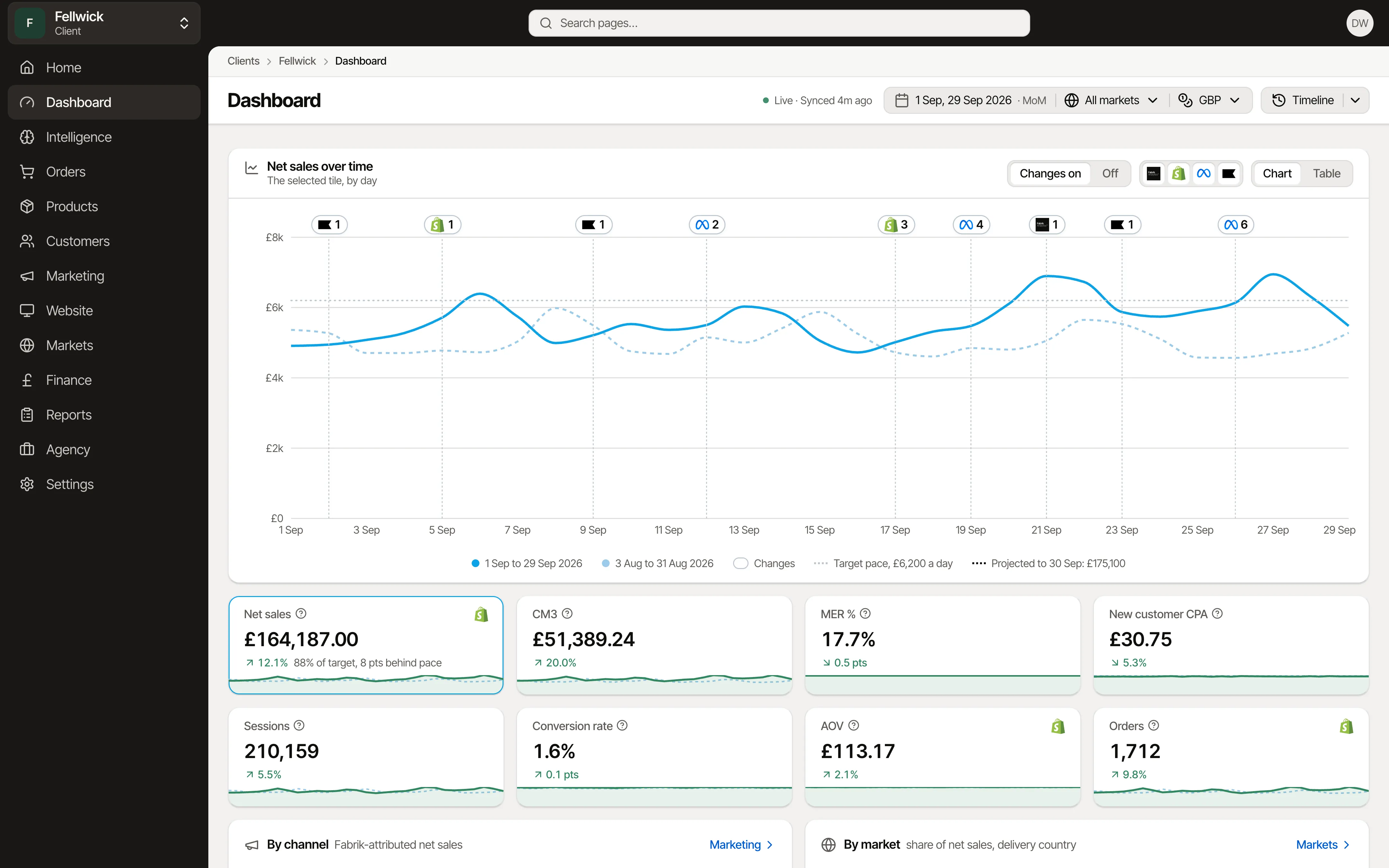
Dashboard
Everything that matters today on one page, with every change marked.
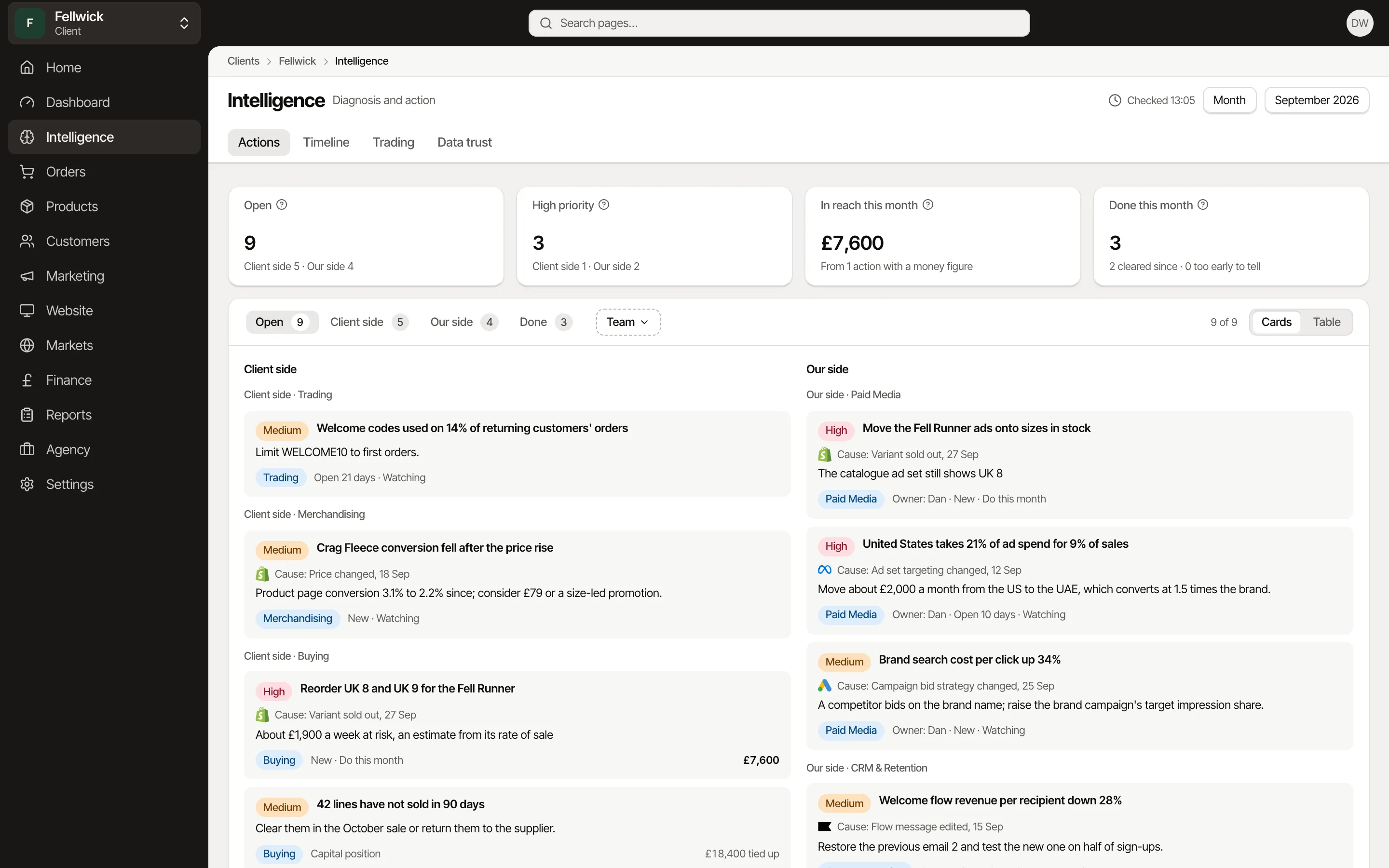
Intelligence
Each team's list every morning, ranked by the money within reach.
Timeline
Every change to the store, ads and email, who made it and why.
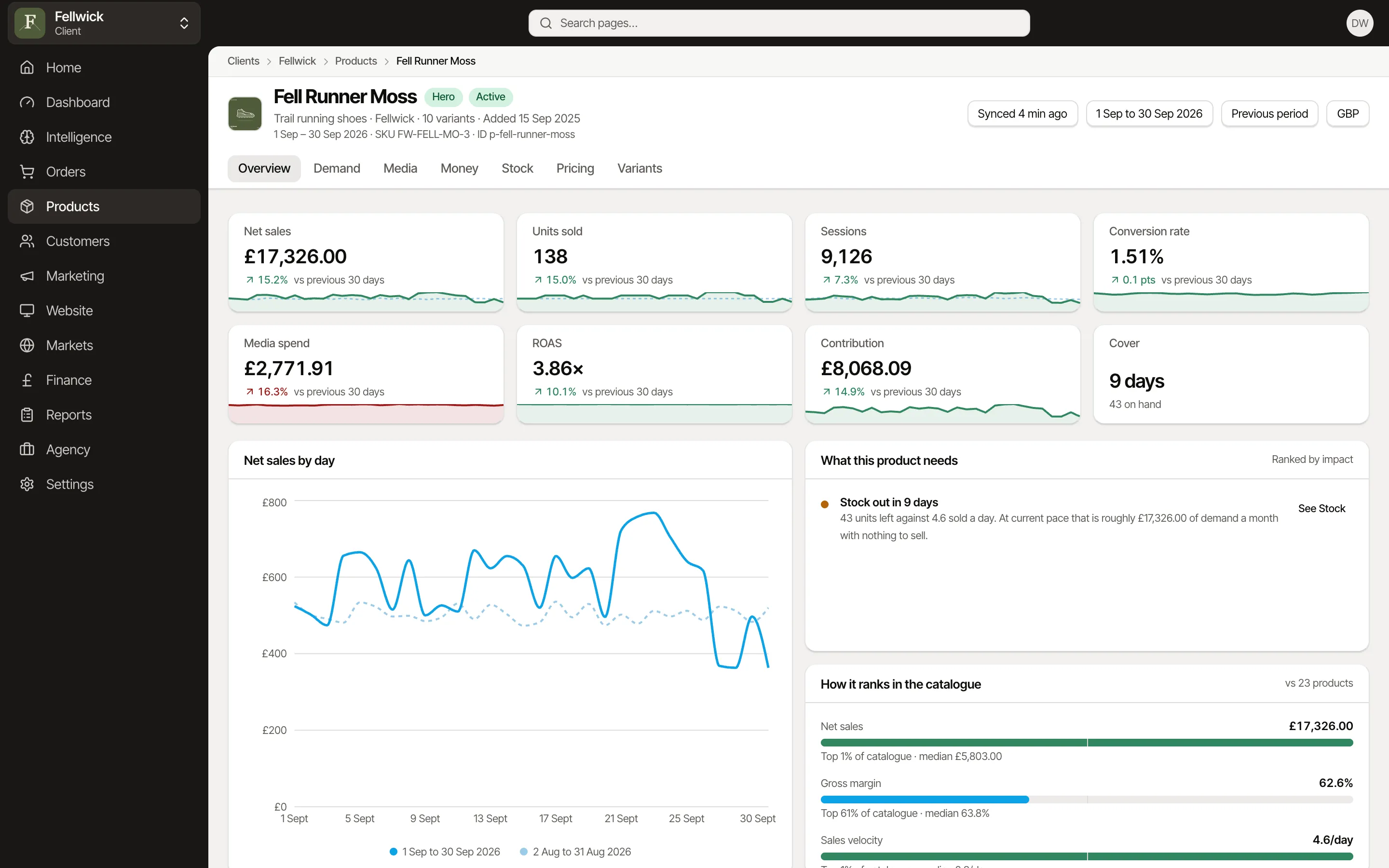
Products
Sell-through, cover and size curves for every line, and what to reorder.
Product tiering
Every product scored and tiered, the tier written back to Shopify for your feeds, collections and campaigns.
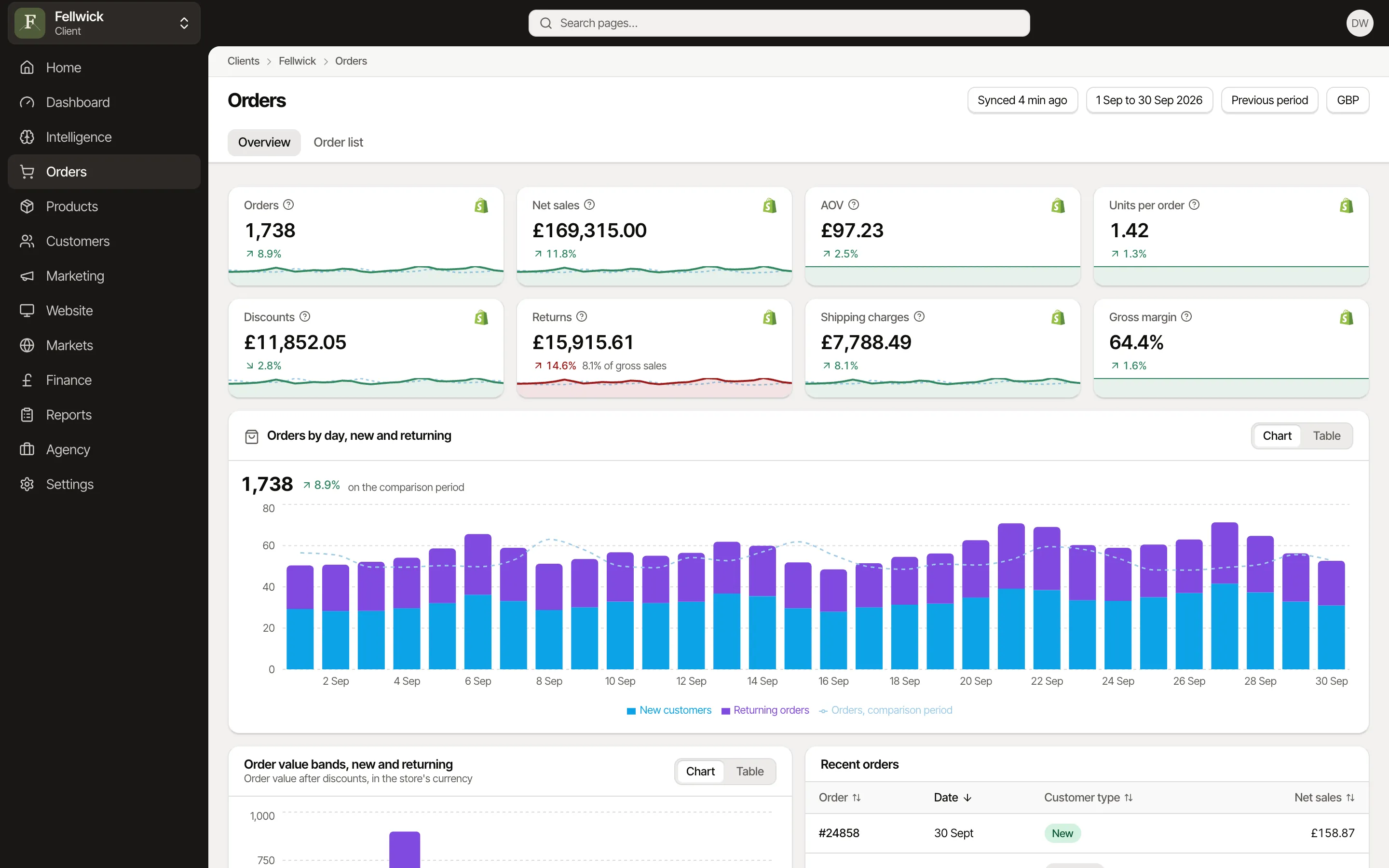
Orders and customers
Every order with its profit and channel, and the customers who come back.
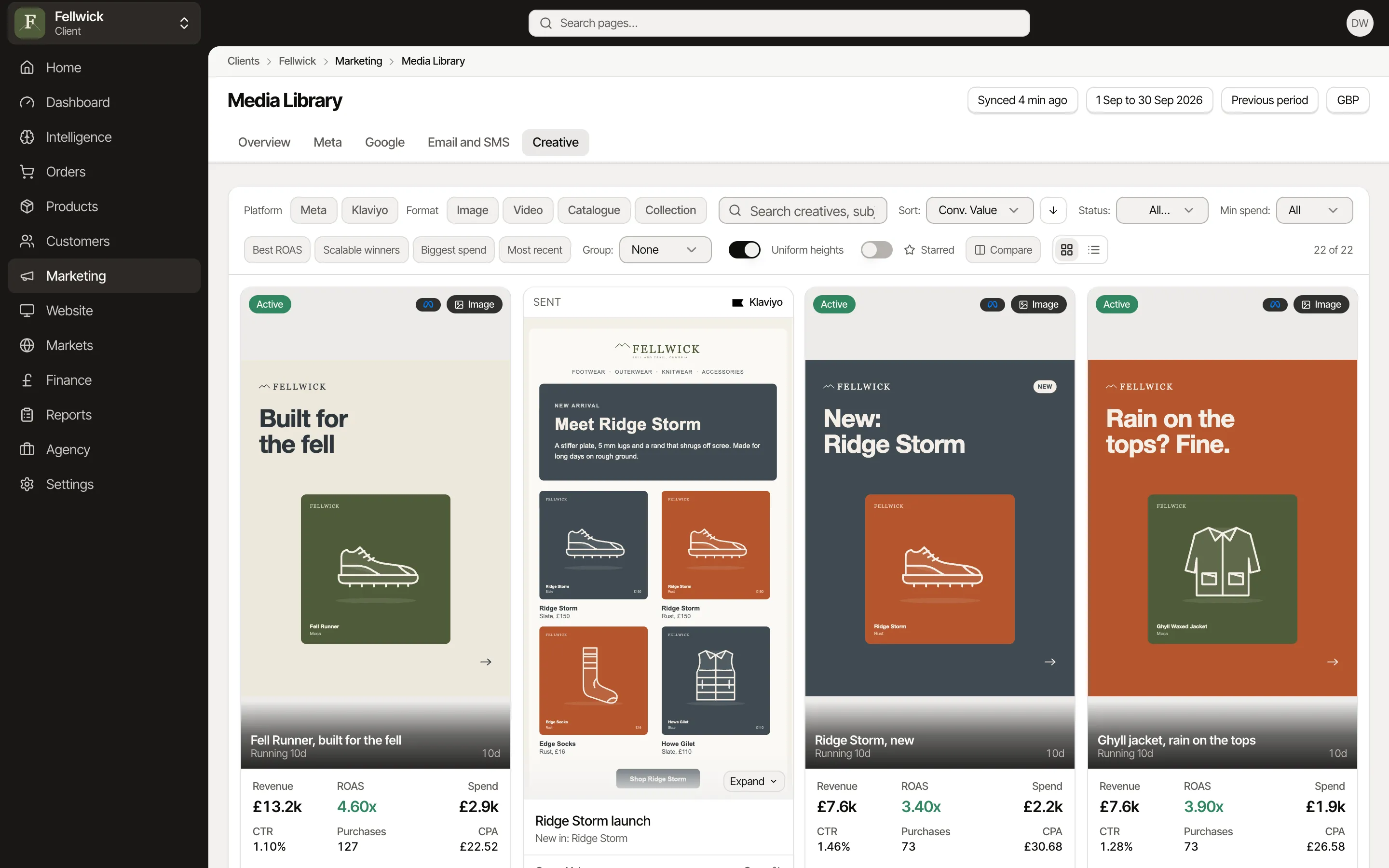
Marketing
Every Meta ad and Klaviyo email in one library, with what it earned.
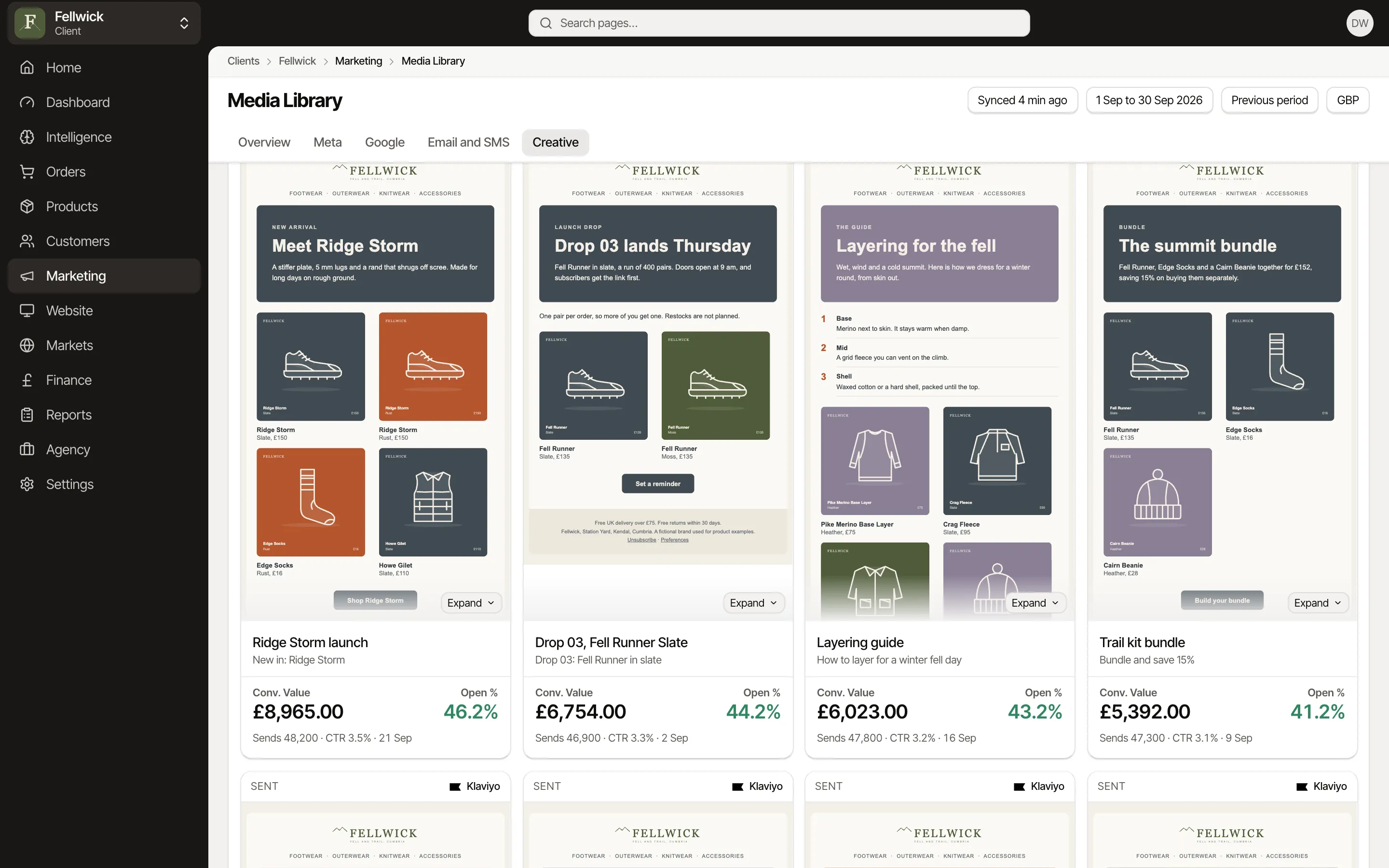
Email
Every Klaviyo campaign as it was sent, with revenue per recipient.
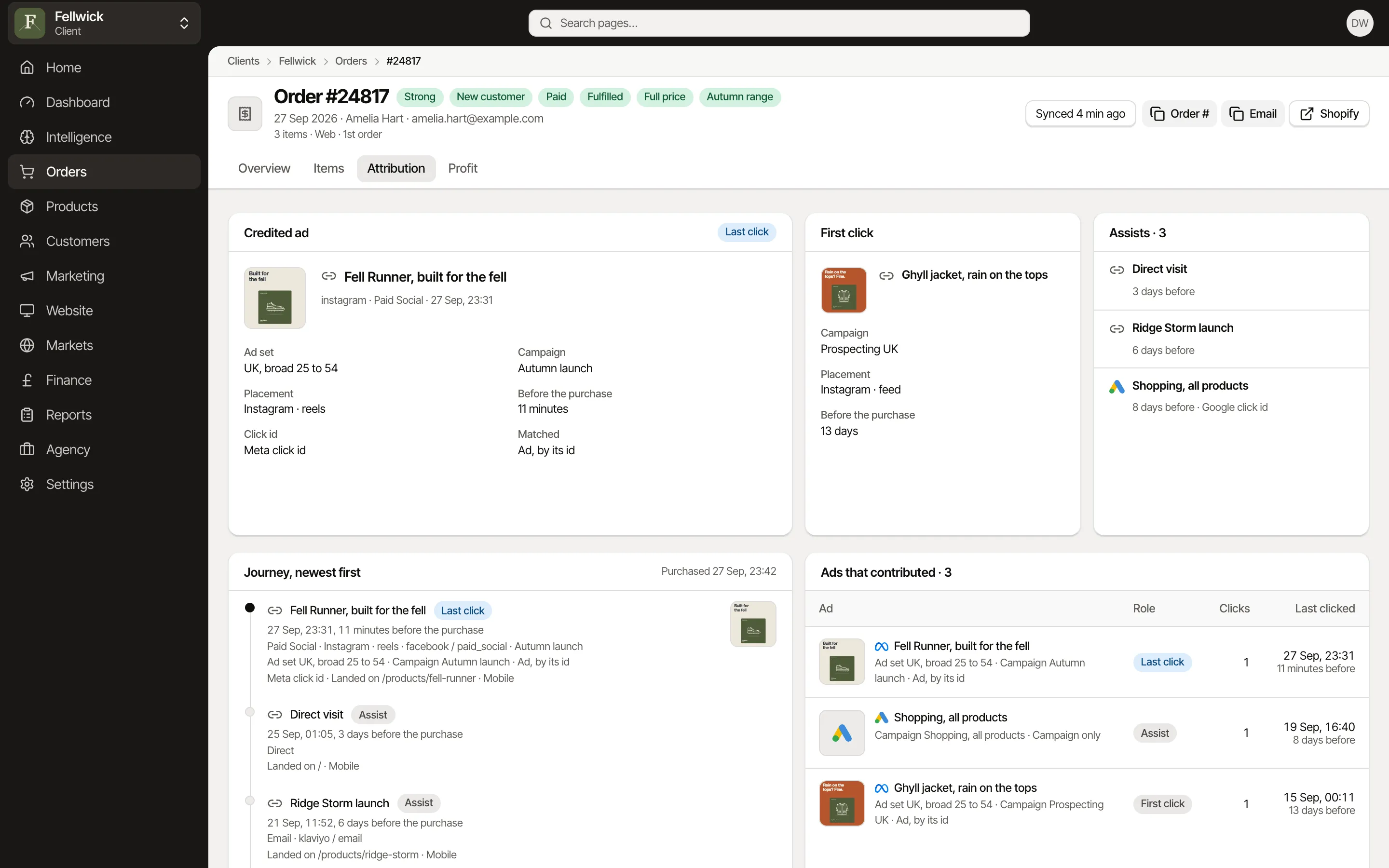
Attribution
One answer per order from your own pixel, and the journey behind it.
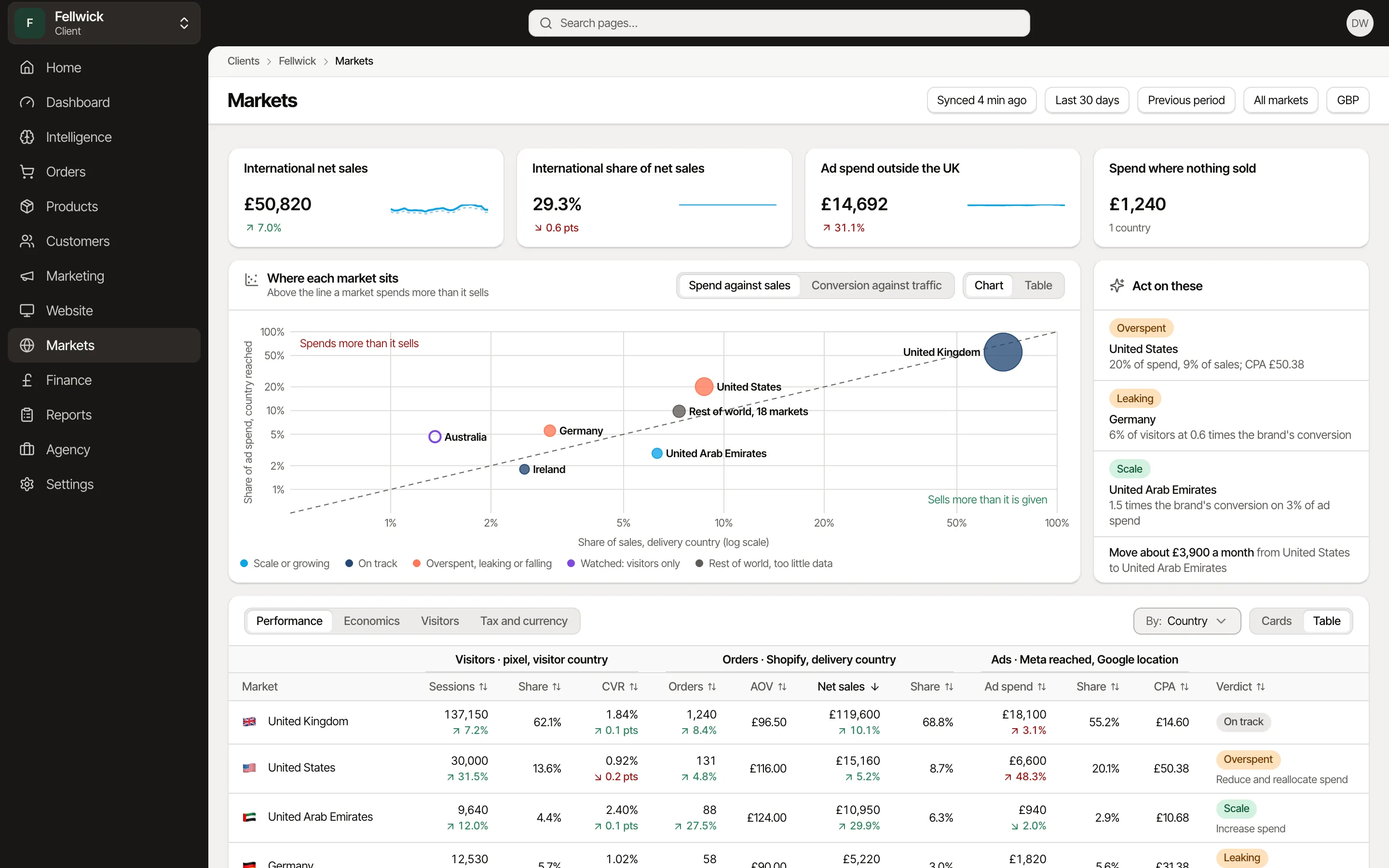
Markets
Every country side by side, and where the next pound should go.
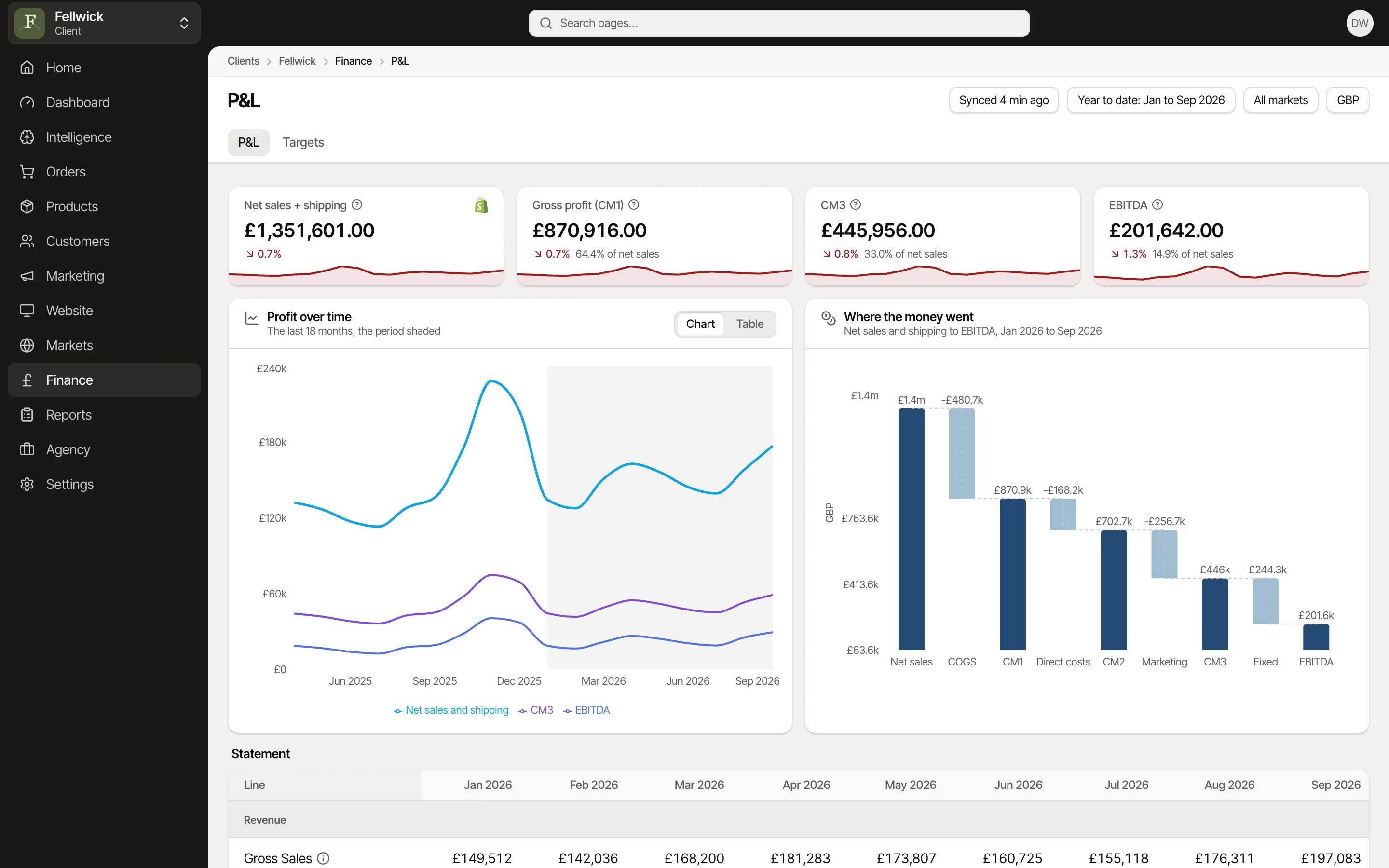
Finance
A real P&L from gross sales to EBITDA, and targets that follow how your year trades.
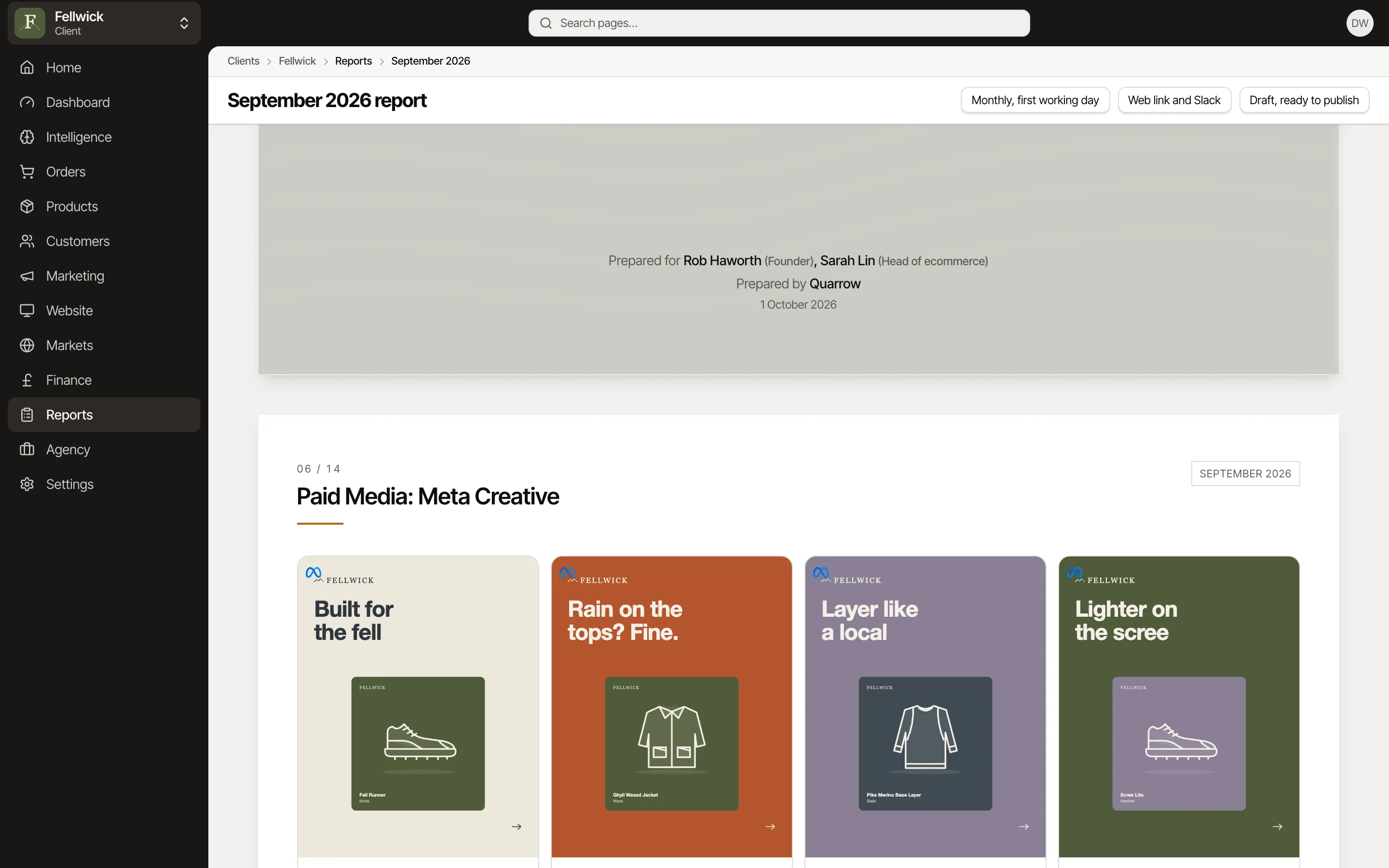
Reports
Scheduled reports in your own branding, sent by email with the PDF or a link, or posted to Slack.


Questions
Does Fabrik change anything in my store?
It reads your store. Two features write back, and only when you use them: product tiering can tag products with their tier, and Bought together can publish each product's partners to a product metafield for your theme to show. Both are in the Pro plan.
Is Fabrik Analytics a Shopify app?
Yes. Fabrik Analytics is a public app on the Shopify App Store. Stores connect only by installing it there, or by opening it from the Shopify admin, never by typing a store domain.
How much order history does it read?
Every install includes your full order history. New orders arrive as soon as the app is installed, and the last 12 months load once setup is finished, newest first.
Which orders count?
You choose. Include or exclude sales channels and order tags for each brand, so wholesale, point of sale and test orders stay out of your figures.
Do you store our customers' addresses?
No. Street addresses, phone numbers and IP addresses are stripped before anything is stored. Country and region are kept.
Connect your store and see it for yourself.
Start free, with Shopify, Meta, Google and Klaviyo connected from Settings.